


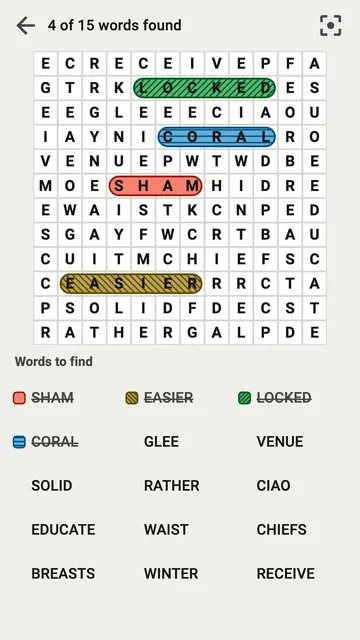
A list of fifteen words takes room, and at a large text size it may not fit under the grid. One word at a time shows a single word instead, as the largest text on the screen.
A single word, very large
In a grid, tap the button at the top right, One word at a time. The list is replaced by one word, in very large letters. Two arrows, Previous word and Next word, move between the words you have not found yet. A line tells you where you are, for example "Word 2 of 9 left".
Show every word brings the full list back. Scrutix remembers your choice for the next grid.
The word read aloud
In this view, a speaker sits next to the word: Read it aloud. Tap it and your phone says the word, in the language of the words.
The voice is the one installed on your phone. If your phone has no voice for that language, the speaker is not shown, rather than a button that stays silent.
The hint shows this word
Hint reveals one word per grid. In this view, it reveals the word on the screen, the one you are looking for.